Document 1 of 13
Overview
What it is, who it is for, the problems it solves, principles, what it does not do.
For whom: Owners, management
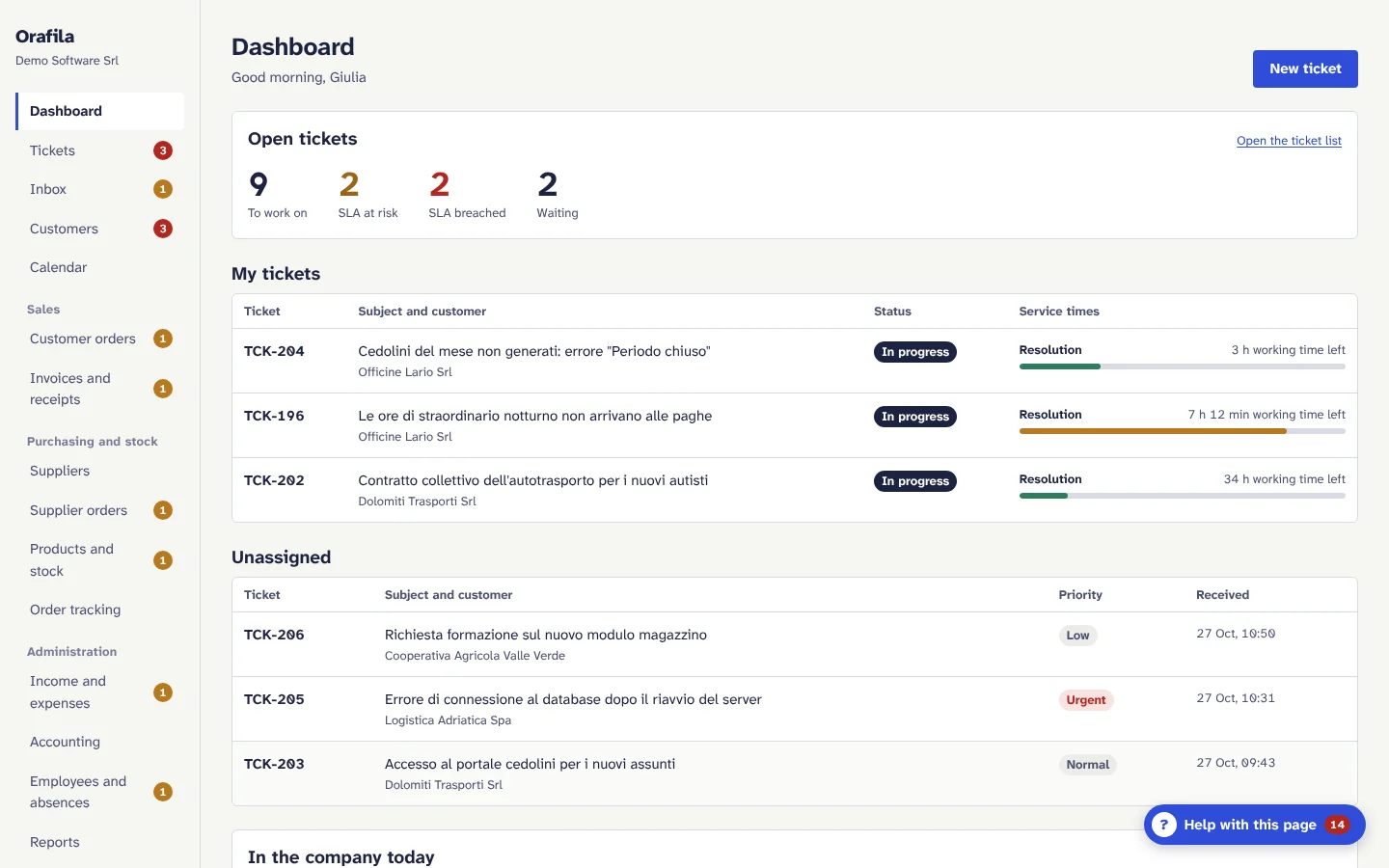
In one sentence
Orafila is business management software with built-in artificial intelligence for companies that sell, install and support software: helpdesk, customers and contracts, sales, invoices, purchasing, stock, basic accounting, people and calendar in a single web application, with an assistant that explains how things are done and helps you understand what is wrong.
Who it is for
- Software houses, resellers and partners of business software (ERP, payroll, software for professional firms), system integrators and MSPs.
- Companies with 5 to 150 employees, with 3 to 60 people working in support, sales and administration.
- Designed for Italy: interface in Italian (and in English), working calendar with the national holidays, VAT number and codice fiscale (tax code) with validation, VAT by rate, e-invoices to the SDI (Sistema di Interscambio, the Italian e-invoicing exchange) through Fatture in Cloud, automatic contract renewal and ISTAT adjustment (Italian inflation index).
The problems it solves
A company of this kind usually works with 4-6 disconnected tools: a shared mailbox for support, Excel sheets for hour banks, the management software for contracts and invoices, a calendar, scattered notes on customers. The consequences are well known:
| Problem | How Orafila tackles it |
|---|---|
| Support hours not logged or not deducted from the hour bank | The time worked on each ticket is deducted from the customer's hour bank with the company's minimums and rounding; the dashboard warns when an hour bank is running out and forecasts the date |
| Support e-mails sorted by hand | E-mails from recognised customers become tickets by themselves, replies go back into the right ticket, the AI suggests category, priority, product and agent |
| Response times not measured | Service times (SLA) by priority, calculated in working hours with the holidays; list sorted by urgency, progress bars, at-risk and breached alerts |
| Cancellations discovered too late | Contracts with automatic renewal, notice period and the last date to cancel worked out; customers to follow up on the dashboard 60 days ahead; customer health score |
| Orders, invoices and payments in tools separate from support | Customer orders, invoices with gap-free numbering, payments with receipts, supplier orders and stock in the same application, linked to the customer page |
| Newcomers do not know how things are done | On every page the “Help with this page” button explains what the section is for, what needs fixing and how to do things, step by step |
What it includes
| Area | Modules |
|---|---|
| Support | Tickets with service times, inbox and sorting, queues with mailboxes, hour bank and ticket allowance, company and group calendars |
| Customers | Customer records with a 360° view: customer health, contracts and cancellations, hour banks, installed products with version, contacts and sites, orders and invoices; import from Excel/CSV |
| Sales | Customer orders with PDF confirmation, shipment and tracking; invoices and receipts with PDF, printing and e-mail; e-invoices and sending to the SDI through Fatture in Cloud |
| Purchasing and stock | Suppliers, supplier orders with partial deliveries, products with prices and VAT, stock on hand, reorder level with alert, single tracking view of open orders |
| Administration | Income and expenses (cash book) with accounts and due dates, basic accounting (profit and loss, indicative VAT, amounts owed by customers and to suppliers), employees and absences, reports with CSV export |
| Company | Users with mandatory two-step verification, customisable roles and permissions, activity log, settings, e-mail notifications, artificial intelligence with a budget |
| AI assistant | On every page: explains, checks the status of the modules, answers questions by looking at the data the person's role can see |
The details of each module are in Features; the step-by-step procedures are in the user manual.
The product's principles
- AI suggests, people decide. No e-mail written by the AI goes out and no data changes by the AI's decision without a person's click. The AI sorts, writes drafts and summarises; the people at work check and confirm.
- The AI does not calculate the numbers. Totals, VAT, service times, hour bank balances, due dates and scores are calculated by precise rules verified by automated tests; the AI receives them already calculated and explains them.
- It also works without AI. Without a key from an AI provider, with the AI turned off or with its budget used up, every feature has its manual alternative; the guides and the health checks always work.
- Each company's data is kept apart by the database itself. Several companies can share the same installation: isolation is enforced by PostgreSQL (Row-Level Security), not only by the application code.
- Secure by default. Two-step verification mandatory for everyone, encrypted secrets, an activity log that cannot be changed, encrypted backups, automatic HTTPS.
- Configuration, not code. Rates, service times, categories, holidays, roles, queues and mailboxes are set from the interface, company by company.
How it is used
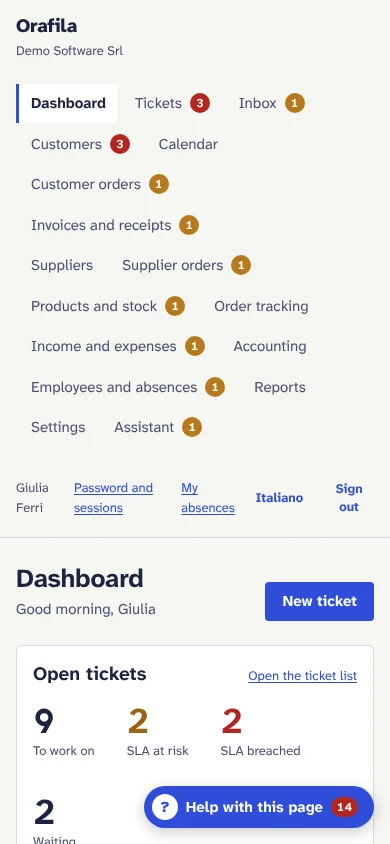
- Web application: used from the browser, with nothing to install on computers. Pages adapt to phones and tablets (tables become cards, the calendar has a list view).
- Italian and English: everyone chooses the interface language; PDF documents and e-mails to customers and suppliers come out in the document language chosen by the company.
- In the cloud or on your server: Orafila is installed on a single Linux server with Docker, with HTTPS, encrypted nightly backups and updates with one command. It can be provided as a managed service or installed on a server dedicated to the customer (see Installation).
What Orafila is not (today)
To be fair, here is what it does not do in the current version (details in Specifics and limitations):
- it does not replace your accountant's official accounts: the basic accounting is there to keep the situation under control, and the VAT is indicative;
- it does not send invoices to the SDI by itself: it does so through Fatture in Cloud (or through your intermediary, starting from Orafila's data); credit notes are issued in the e-invoicing software;
- it does not yet have a portal for end customers or sign-in with Microsoft 365 or Google (SSO);
- it does not import e-mail attachments (the ticket shows the names of the attached files);
- projects, visit reports, quotes and the update plan already have their calculation rules but not yet their pages.